
From Marks Entry
to Printed Report Cards.
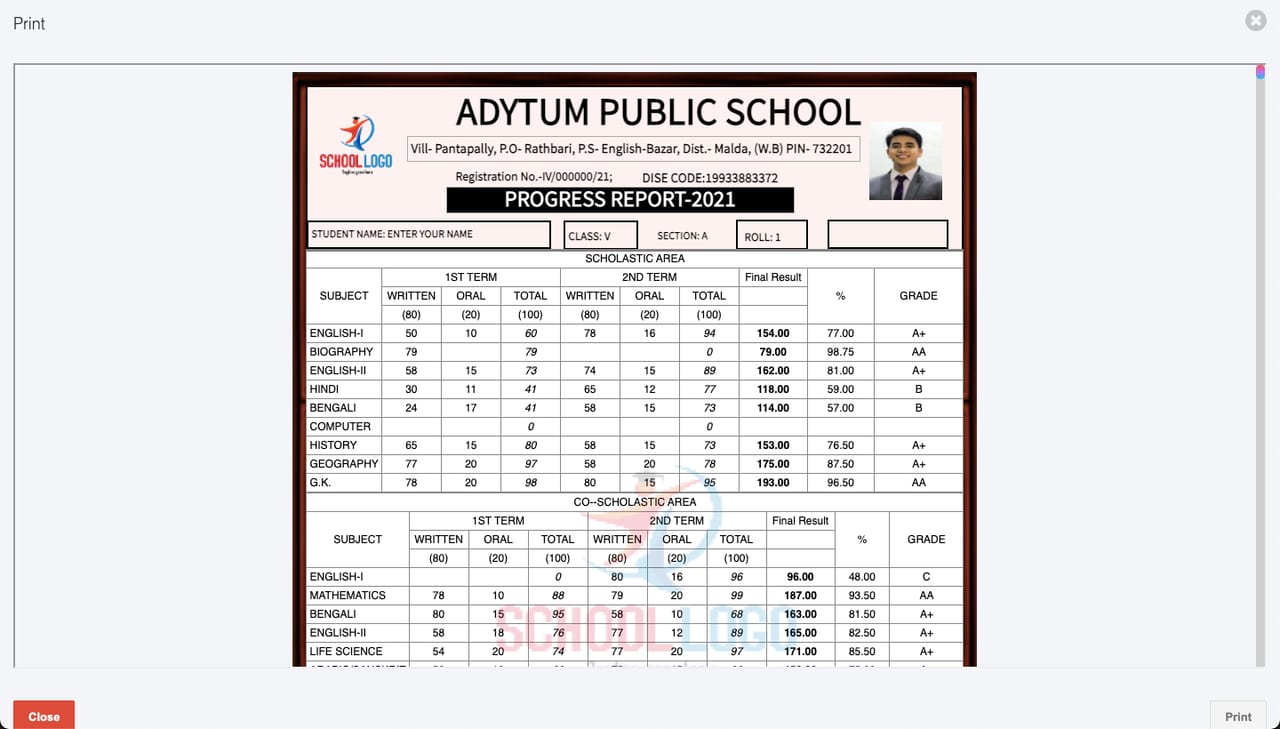
Set up exams and your grade scale. Teachers enter marks in the Teacher App or the ERP, and the office prints report cards from the same marks — parents see results in their app.
- Grades as you configure
- Your scale
- Grades as you configure
- Marks entry
- App + ERP
- Marks entry
- Question paper sets
- A / B / C / D
- Question paper sets
The Whole Exam Season, In One System.
Exam setup
Exams, subjects and the timetable for each class and session.
Your grade scale
Configure the grades your school uses.
Marks entry
Teachers enter marks student by student in the Teacher App or the ERP.
Report cards
Print report cards from the marks, using your school's template.
Admit cards
Generate admit cards for the exam.
Question paper sets
Make A, B, C and D sets of a question paper.
One set of marks, used everywhere
-
1
Configure
Exams, subjects and your grade scale for the session.
-
2
Enter marks
Teachers enter marks from the Teacher App or the ERP.
-
3
Publish
The office prints report cards and parents see results in the app.
Can we keep our report card format?
Report cards use templates. Show us your current report card and we will tell you how closely it can be matched.
Which boards do you support?
Grades follow the scale your school configures. Share your board and format with us to confirm the details.
Can teachers enter marks on their phone?
Yes. Marks entry is available in the Teacher App as well as the ERP.
See it with your own school's data.
Tell us how your school works today, and we will suggest the plan that fits.