
A teacher app that speaks
English, বাংলা and हिन्दी
Built for real classroom days across West Bengal and eastern India. Mark attendance, dictate homework by voice, translate notices into three languages, enter exam marks and check the school calendar — from one app.
- Schools
- 350+
- Schools on Progati
- Teachers per school
- 5–100
- Teachers per school
- Languages
- 3
- Voice & notice languages
Voice homework & voice notices
Speak the homework — let the app fill the form
On both Create Homework and Create Notice, teachers can tap the microphone card at the top of the screen (or the mic inside Title and Description) instead of typing on a small phone keyboard.
EN · English · en_IN
Homework example: “Exercise 4.2, questions 1 to 10, by Monday”
Notice example: “Parent teacher meeting on Saturday at 10 am in the school hall”
Fills Title, Description and Due Date automatically on Homework; preserves event dates inside Notice text.
বাংলা · Bengali · bn_IN
Homework example: “অনুশীলনী ৪.২, প্রশ্ন ১ থেকে ১০, সোমবারের মধ্যে”
Notice example: “শনিবার সকাল ১০টায় স্কুল হলে অভিভাবক সভা”
Teachers dictate naturally in Bengali for both homework assignments and school notices.
हिन्दी · Hindi · hi_IN
Homework example: “अभ्यास 4.2, प्रश्न 1 से 10, सोमवार तक”
Notice example: “शनिवार सुबह 10 बजे स्कूल हॉल में अभिभावक बैठक”
Switch dictation language in one tap — remembered across homework and notices.
- Auto-splits Title, Description and Due Date: spoken homework turns into a structured draft (clamped cleanly within the academic year) using Quick Fill or on-device Smart AI.
- Photos, cropping and PDFs built in: snap the classroom blackboard, crop the image or attach a worksheet PDF before tapping Submit.
Multi-language notice translation
Write a notice once — attach an image in English, বাংলা and हिन्दी
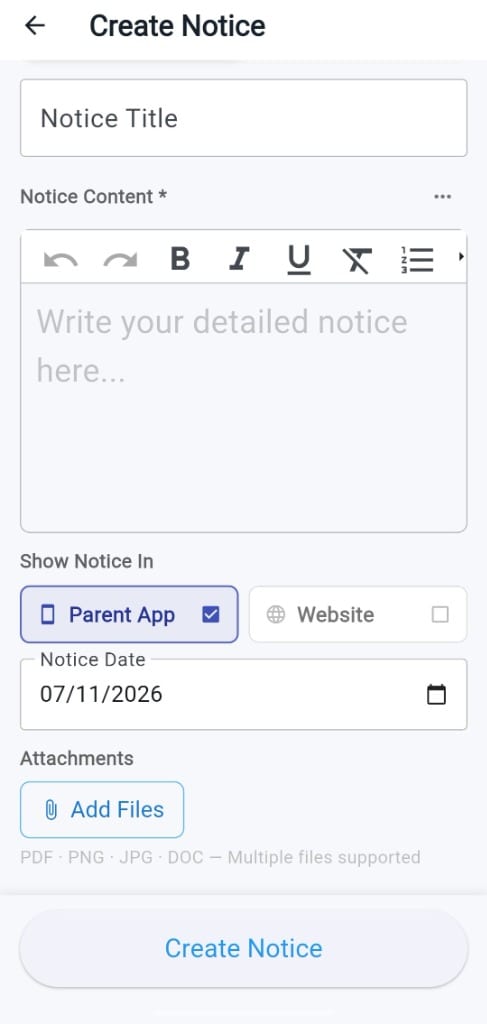
Every parent should be able to read school circulars without misunderstanding a date or fee deadline. Inside Create Notice, tapping “Make a notice file in other languages” guides the teacher through three quick steps:
-
1
Choose languages for your school branch
Pick any mix of English, বাংলা and हिन्दी. The app remembers each branch's preferred languages automatically.
-
2
Review translations with automatic number-checking
Edit each language tab before publishing. If a date, time or number from your original notice is missing in a translation, the app highlights it so nothing is misread.
-
3
Attach a branded notice card & publish
Generates a clean image containing your school logo, name, branch, date and all chosen languages, attaches it to the notice, and sends to All Classes or a Specific Class on the Parent App and/or school website.
Modern Tools Built with Real Educators.
Less register work and fewer spreadsheets, so teachers spend their periods teaching.
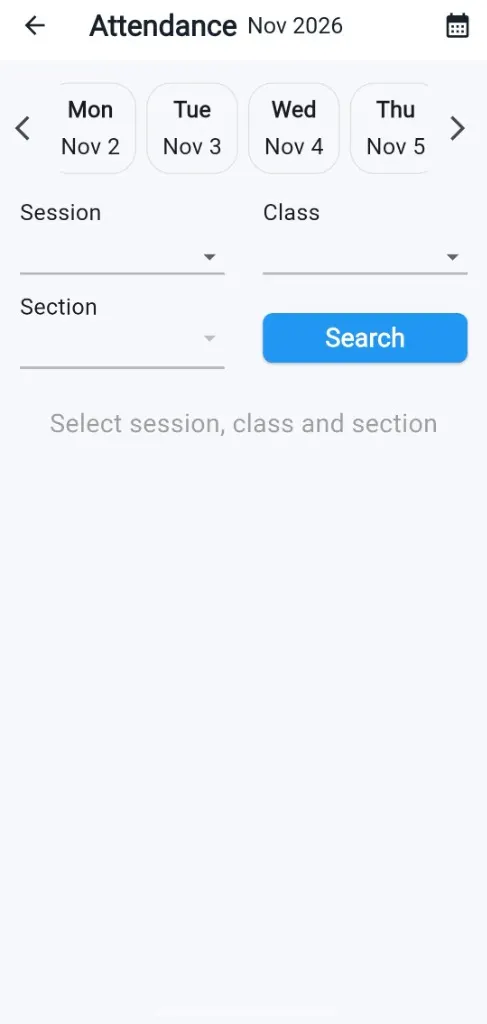
Class Attendance
Pick the date, class and section, mark who is absent and submit. Attendance goes straight to the school ERP.
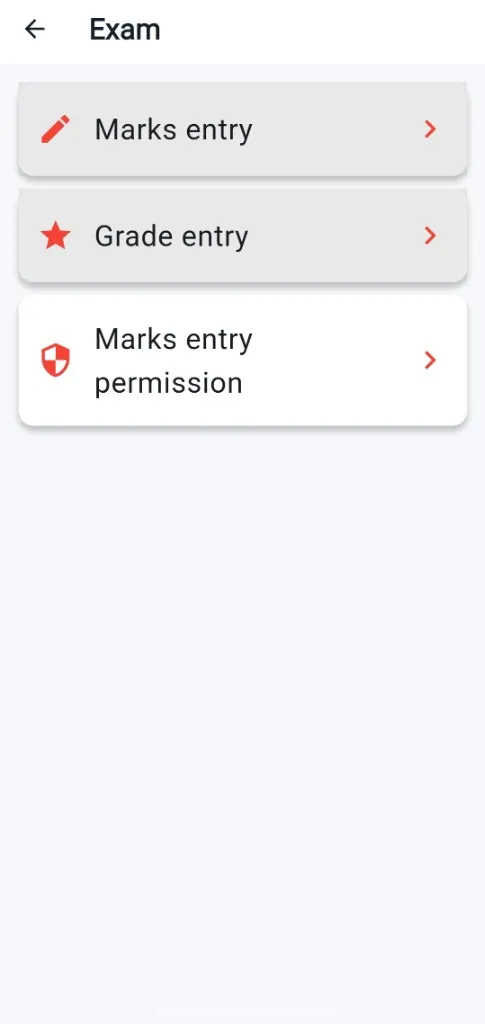
Marks Entry
Enter marks student by student for each subject. The ERP uses your school's grade settings to prepare report cards.
Homework with Photos
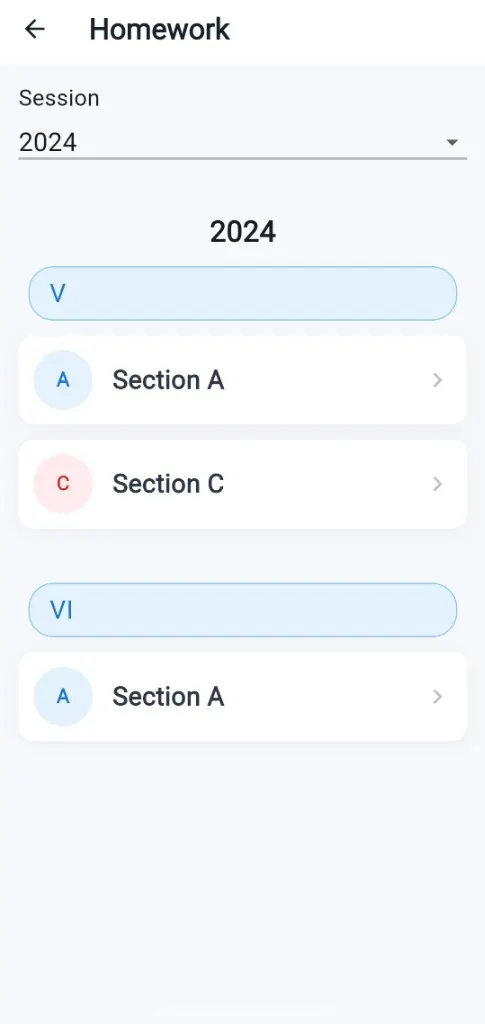
Assign homework to a class and section with a whiteboard photo or a PDF. Parents see it in their app.
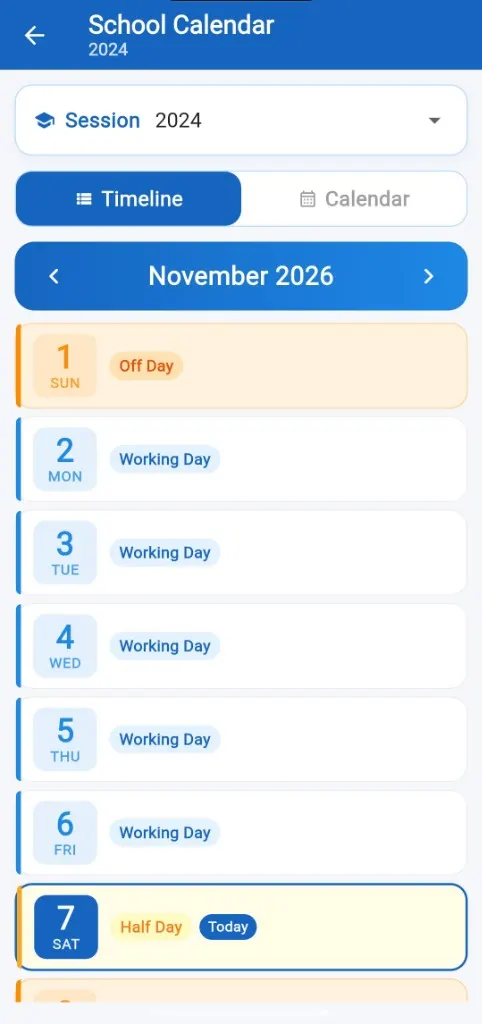
School Calendar
Holidays, exam dates and school events in one calendar, always up to date with the office.
Leave & Tasks
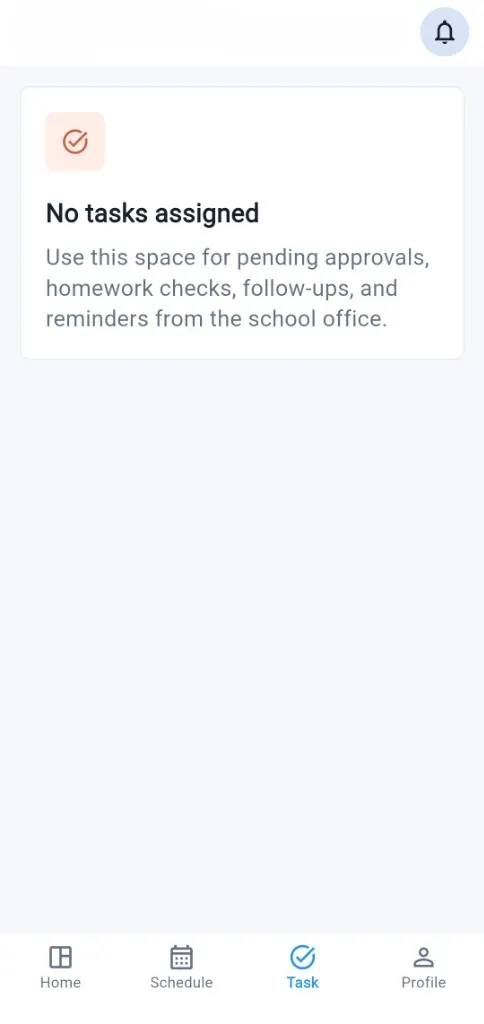
Apply for leave, see student leave requests, and keep track of tasks assigned by the school.
Notices to Parents
Publish a notice to a class, a section or the whole school. It reaches the Parent App and can be translated into three languages.
Marks Entry Without
Spreadsheets or Recalculation
Teachers enter marks from the Teacher App or the ERP. Totals and grades follow the exam and grade settings your school configures, and the same marks produce the report cards.
Class-Wise Entry
Choose the exam, class and subject, then enter each student's marks in one list.
Full Marks on Screen
Full marks for the subject are shown while entering, so teachers can check each score against it.
Your Grade Settings
Grades come from the scale your school sets up in the ERP, not from a fixed template.
Report Cards from the Same Marks
Once marks are in, the office prints report cards without entering anything twice.
| Roll | Student Name | Marks (80) | Grade | Status |
|---|---|---|---|---|
| 01 | Aarav Sen | 74 | A1 | Verified ✓ |
| 02 | Pooja Sharma | 68 | A2 | Verified ✓ |
| 03 | Rohan Das | ABSENT | -- | Medical Ex |
| 04 | Rahul Sarkar | 78 | A1+ | Top Score ★ |
Complete Faculty Experience.
Right on Teachers' Smartphones.
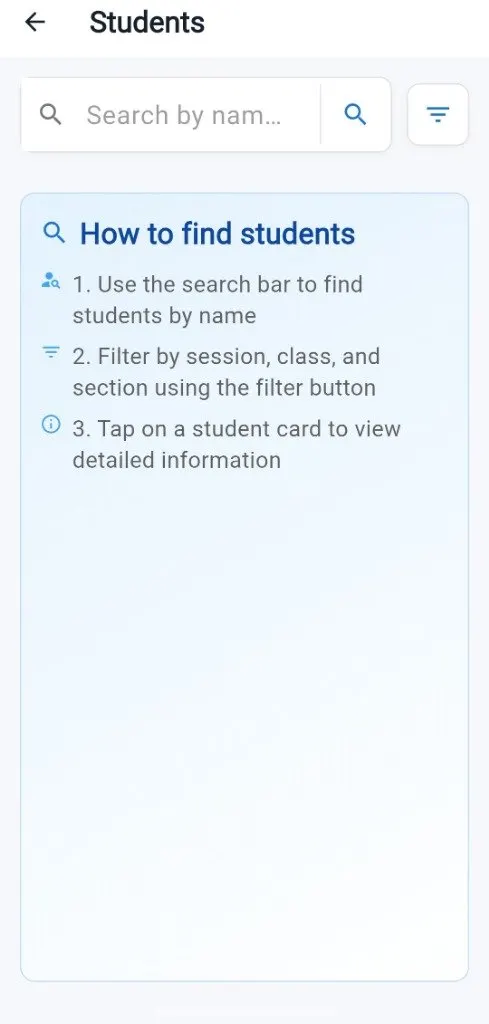
Tap the cards to open real Teacher App screens: students, homework, exams, attendance, notices, the calendar and tasks.
Attendance
Class & sectionMark attendance for a class and section. It goes straight to the school ERP.
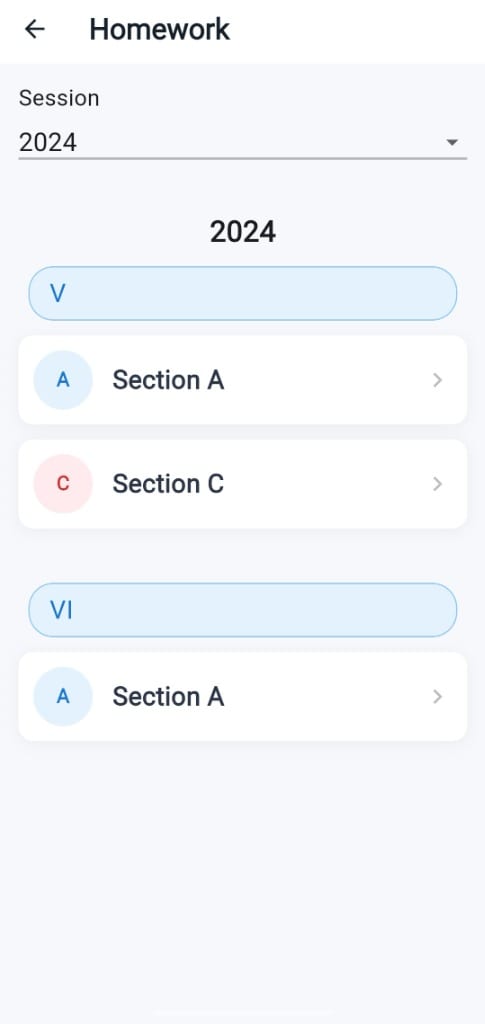
Homework & Diary
Seen in the Parent AppPost homework and worksheets by subject. Parents see them in their app.
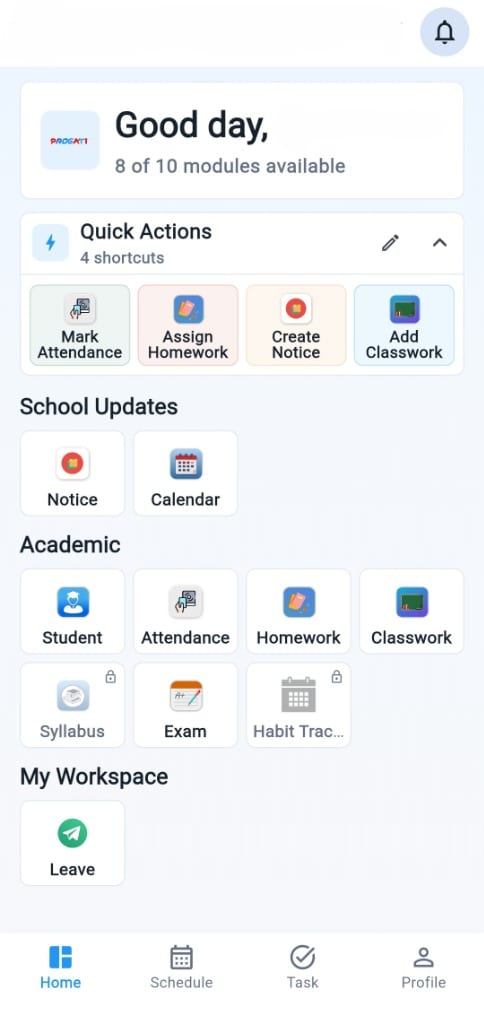
Good day,
8 of 10 modules available
Quick Actions
4 shortcutsAttendance
Homework
Notice
Classwork
School Updates
Academic
My Workspace
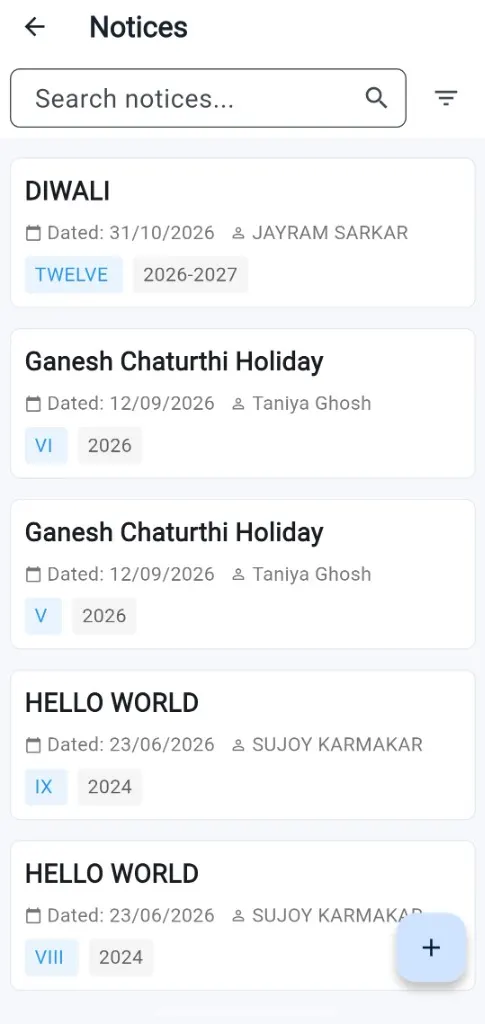
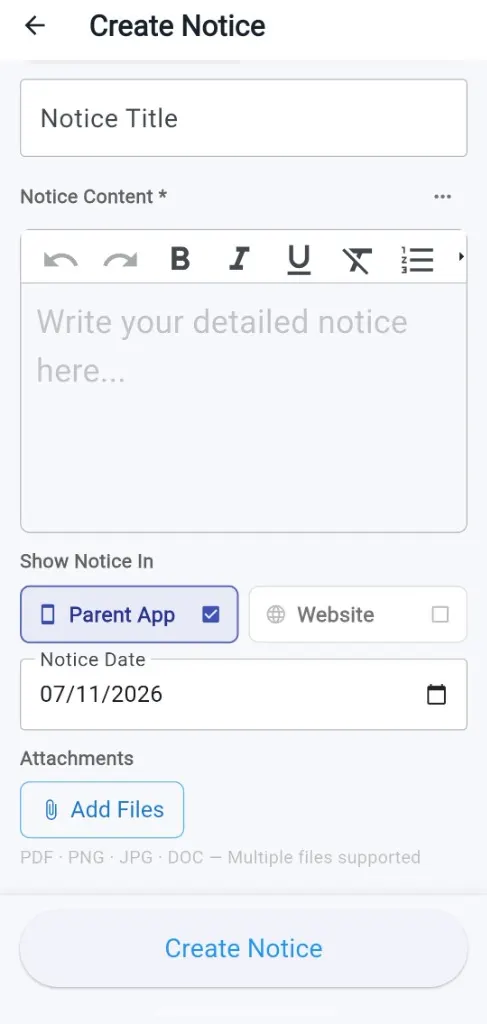
Notices
In three languagesSend circulars and updates to parents, and translate them into English, বাংলা and हिन्दी.
Exam & Grading
From your grade settingsEnter exam marks by class and subject. The office prints report cards from the same marks.
Thoughtful classroom details
Designed for how teachers work between periods
Custom Quick Actions
Each teacher pins up to 4 favourite shortcuts — such as Mark Attendance, Assign Homework or Marks Entry — right at the top of Home.
Branch Switcher
Teachers working across multiple school branches switch institutes directly from the top bar without logging out.
Biometric App Lock
Optional Face ID or fingerprint lock protects student marks, attendance and notices whenever the phone changes hands.
Role-Based Access
School admins control which modules and marks-entry subjects each teacher can open.
Trusted by faculty and principals
Approved school reviews

DON BOSCO MALDA
Malda, West Bengal
"Progati is user-friendly and has erased many sophisticated difficulties which we faced earlier. Parents and teachers have found the Parent app and Teacher app very helpful. Parents are delighted as they are receiving all information and notices regarding their child’s activity in real-time."

St. Stephen's School (Malda)
Principal · Malda, West Bengal
"Your School Administration Software is really helpful. We are thankful to Progati for giving us a digital platform. Thanking You"
FAQ
Questions about the Teacher App
Which languages are supported for voice homework and notice translation?
English, Bengali (বাংলা) and Hindi (हिन्दी) are built into both voice dictation and multi-language notice file creation.
Do teachers have to share their personal WhatsApp numbers with parents?
No. Notices, homework, classwork and attendance updates go from the Teacher App to the Parent App without exposing personal phone numbers.
Can the principal limit which classes or subjects a teacher enters marks for?
Yes. Administrators assign module permissions and marks-entry permissions per user inside the School ERP.
Is training provided for our teachers?
Yes — onboarding and online training sessions are included across Progati plans.
Empower Your Teaching Staff with PROGATI.
Android and iOS app for teachers, with the same data as the school ERP. Training is part of onboarding.